GLADPIN / FREE ONLINE
One QR code. A little more connection.
GladPin gives each location a mobile page for customer thanks, private feedback and an optional Google review link. The online service is free, and customers can use it without an account or an app.
1. Create your business account
Register and verify your email address, then sign in. Add your location's name, a short description and an optional address. If you want to offer Google reviews, add the Google review URL for that location. You can manage multiple locations from the same owner account; each has its own page and QR code.
2. Download and test your QR code
Download a PNG for everyday printing or an SVG for scalable artwork. Open the destination yourself and scan a printed copy on a phone before displaying it. Check that the location and Google review destination are correct. Renaming a location keeps its existing QR destination, so printed codes continue to work.
3. Invite an honest response
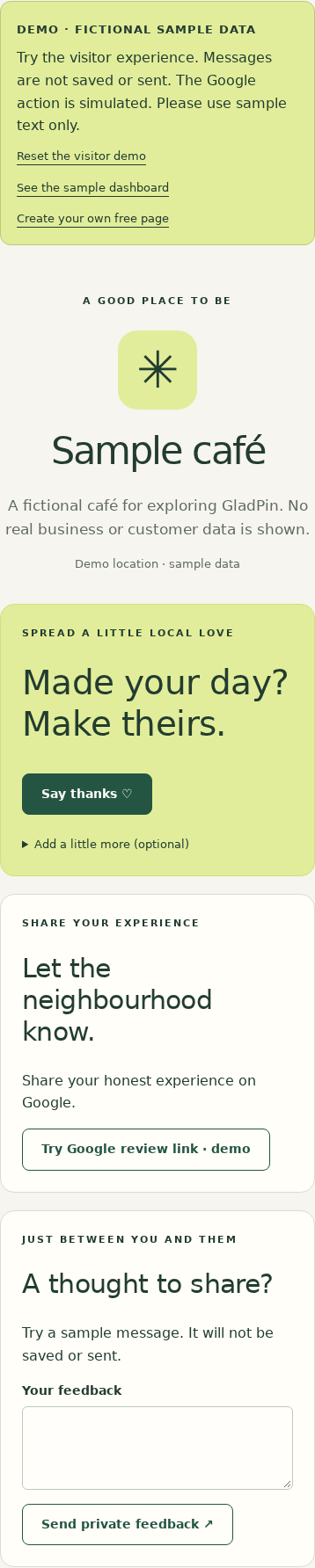
Place the QR somewhere customers can reach it, with a simple invitation such as ‘Share your experience’. Visitors can send thanks or private feedback. Where configured, the Google review action is available independently of either action. There are no review rewards and no requirement to leave positive feedback first.
4. Read your location dashboard
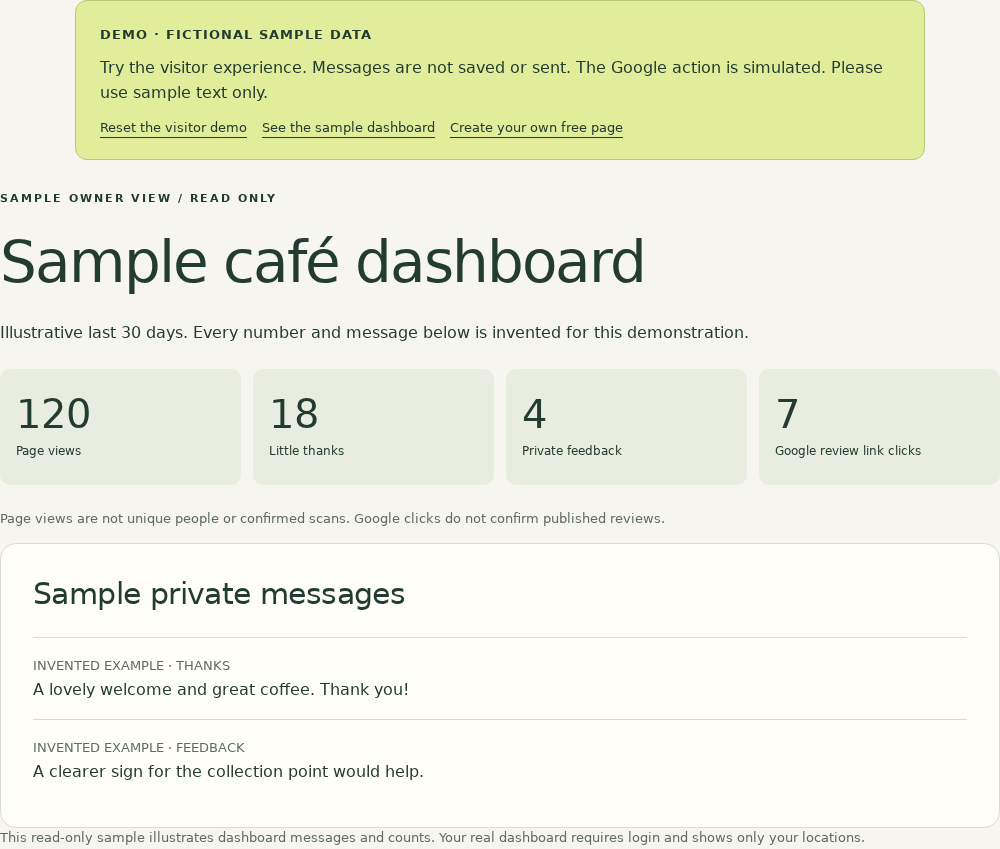
Select a location to read private notes and feedback and see activity over 7, 30 or 90 days. Page views are page loads, not unique visitors or confirmed QR scans. Google review link clicks show that someone opened the link; they do not prove a review was published.
What is included for free?
Business pages, multiple locations, PNG and SVG QR downloads and the dashboard are included without a subscription, trial or credit card. The current anti-abuse limit is 100 locations per business. Optional physical plaques are planned, but ordering is not open. You can print your own QR code now.
See what opens after a scan.
Real interface screenshots with fictional demo data. No customer records or results are shown.